

Your younger child needs help opening the lesson, your older child has different reading work, and both need the family laptop. Arranging Quran classes for siblings can become a practical puzzle before anyone starts reading.
Begin with three separate questions: what does each child need to learn, when can each use the device, and when can an adult provide the agreed help? A shared family routine can contain separate lessons. This guide shows how to check a proposed arrangement before booking and how to manage the change from one learner to the next.
Quran classes for siblings: confirm what the booking includes
Sharing a laptop does not automatically mean sharing a class. Ask whether each child has an individual appointment, which tutor is assigned and how much lesson time belongs to each learner.
The 92 Campus children’s course describes one student with one tutor, with the starting level checked in the demo. Do not assume that adding a sibling to an enquiry changes that arrangement into a group lesson or doubles an existing booking.
Likewise, a preference for the same tutor is something to request, rather than a confirmed timetable. Make the distinction clear in your message: “We are asking about separate lessons for two children and would prefer the same tutor if suitable times are available.”
Describe both children without assigning them the same task
Write a short note for each learner. You do not need to judge pronunciation yourself; describe what they currently do and what support you notice.
- Current work: letters and reading signs, connected reading, revision or another existing task.
- Help needed: joining the call, finding the material, asking for clarification or another specific difficulty.
- Usable time: when that child, the device and any required adult help are actually available.
For example, “Lina needs an adult to open the lesson and locate her material” tells the coordinator more than “Lina is the younger one.” “Haroon can join after help with setup, but the tutor needs to check his reading” gives useful information without claiming that he can work independently throughout.
These are illustrative descriptions, not placement decisions. The tutor should check the learning task for each child. If one sibling starts with foundations and another works on reading, keep their assigned materials clearly identified.
Check the device before agreeing the times
Put the proposed appointments beside each other and include the whole lesson duration. Two separate live calls starting at the same time cannot both use the same laptop as their individual lesson device.
Use these three checks:
- Do the appointments overlap? If they do and there is only one usable device, request different times before confirming.
- Can you change learners between lessons? Allow room to save the first task, open the correct material and follow the joining instructions for the next child.
- Is the required adult help available? A device can be free while the parent who helps with setup is occupied elsewhere.
There is no universal handover interval. Ask how the lessons will start and end, then choose a gap that fits your household. Back-to-back appointments may be workable for some arrangements; they should not depend on cutting short the first learner’s agreed time.
If two devices are available, also check the study spaces and sound. Being able to open two calls does not establish that both children can hear clearly or obtain the adult help they need. Discuss those practical limits before choosing simultaneous lessons.
Worked example: one laptop and two different starting points
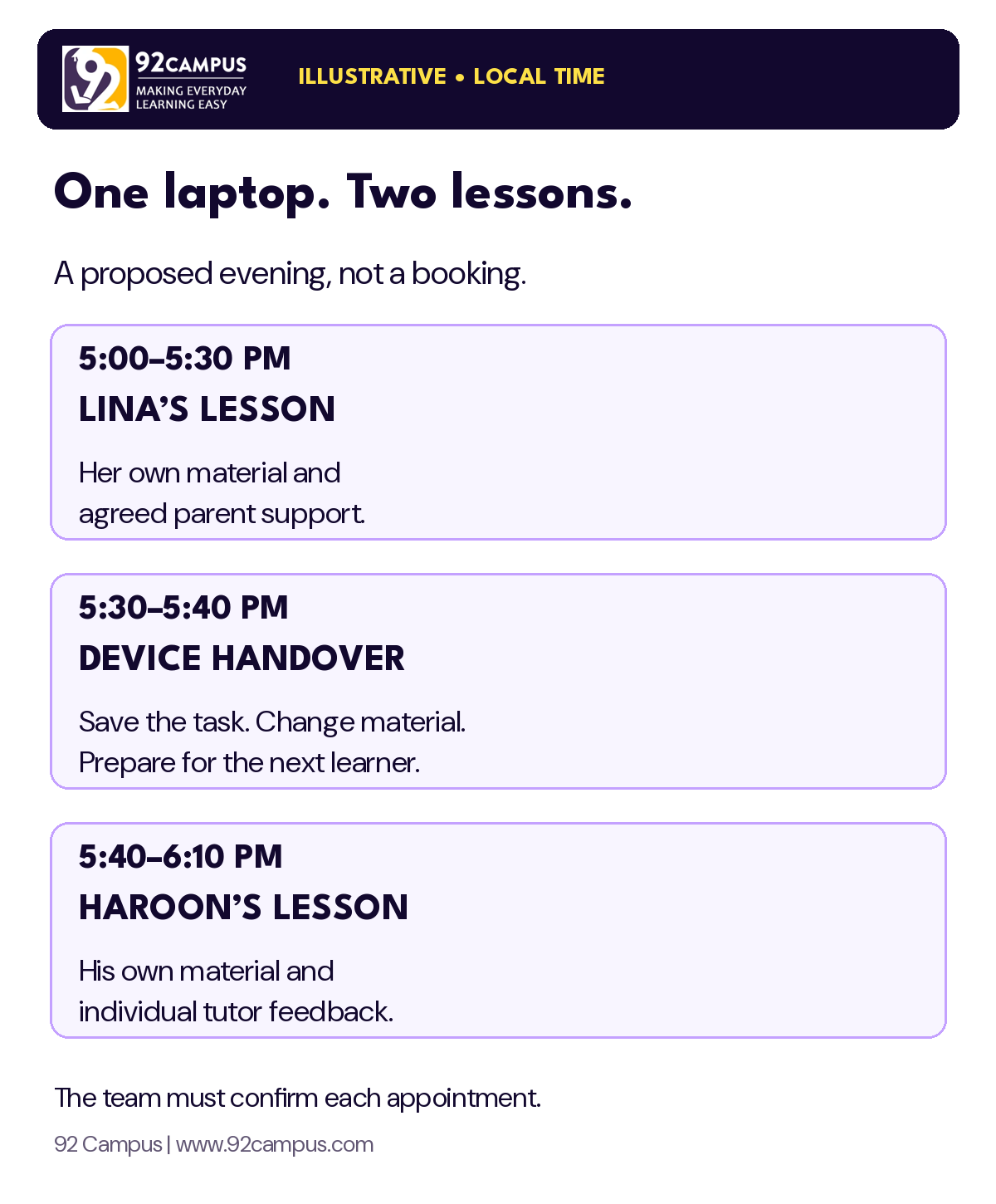
Fictional planning example: Lina and Haroon share one laptop. A parent is available from 5:00 to 6:15 pm in the family’s local time. The family asks about two separate 30-minute lessons. The times below illustrate a request, not an available 92 Campus booking or a recommended learning quota.
Initial proposal: both children start at 5:00. Although the parent is available, the device arrangements conflict. Giving both children the same page would not resolve two separate appointments.
A revised proposal to discuss:
- 5:00–5:30 — Lina: a separate lesson with the material selected for her. The parent provides the help agreed with the tutor.
- 5:30–5:40 — handover: record Lina’s task, put away her material, prepare Haroon’s work and follow his joining instructions.
- 5:40–6:10 — Haroon: his own lesson and feedback. The parent remains available according to the agreed arrangements.
The example resolves the device conflict on paper. However, the team still needs to confirm tutor availability, lesson length, joining arrangements and whether those times suit each learner. A ten-minute gap is simply the choice in this example.
If the revised proposal still does not fit
Suppose the parent must leave at 5:45 and Haroon still needs that adult available. Moving his lesson later has solved the laptop overlap but left another problem. Share the remaining limit with the coordinator and ask about a different arrangement.
Keep both constraints visible: “We have one laptop, and the adult needed for these lessons is available only during this window.” That gives the team something concrete to assess. Do not promise the children a particular slot before it has been confirmed.
Keep the handover short and clear
Prepare a labelled notebook, folder or clearly separated digital note for each child. At the end of the first lesson, check whose task you are saving before changing the material.
- Save the right task: record the tutor’s actual assignment for the learner who has just finished.
- Reset the space: put the next child’s material within reach and adjust the seat or device position if needed.
- Use the correct joining details: follow the academy’s instructions rather than assuming both children use the same account or link.
- Return the turn to the learner: once access is working, let the tutor hear that child’s own attempt.
Plan what the waiting sibling will do too. For example, they might draw or complete another quiet activity away from the lesson. This is an editorial household suggestion, not a rule about where every sibling must sit.
The existing school-and-homework routine guide covers the wider afternoon. Use this device plan alongside it, rather than filling every spare part of the evening with extra practice.
Send one family enquiry with separate learner details
You can adapt this illustrative message:
“Assalamu alaikum. We would like to discuss separate Quran lessons for two children. Lina is working on [current material] and needs help with [specific setup or learning support]. Haroon is working on [current material] and needs [support to discuss]. We share one laptop. Our available local-time window is [days, times, city and time zone], and an adult is available during [window]. Could you check suitable appointments and explain the joining arrangements for each learner? We would prefer the same tutor if that is suitable and available.”
Before paid enrolment, ask for the plan for each child and the total fee to be confirmed. The current pricing page provides one-learner plan estimates and sibling information; a shared device is not itself a shared-fee arrangement. Confirm the applicable duration, frequency and any sibling terms with the team.
Review the arrangement without comparing the children
After trying the confirmed timetable, look for a practical issue you can change. Did the first lesson run into the next setup? Was the correct material ready? Did an adult need to be in two places at once? Bring the specific difficulty back to the team.
Keep learning feedback individual as well. Instead of “Your brother finishes faster,” ask, “What did your tutor ask you to work on next?” Different assignments need their own review; the calendar is not a measure of who is doing better.
For Quran classes for siblings, a useful starting point is a clear family enquiry with separate details for each learner. Share your children’s current work, device arrangements and available local times with 92 Campus. The team checks availability before confirming the appointments. Sending a request does not reserve the sample times shown here.
Join the conversation
Comments are reviewed before publication. Your name and approved comment will be public. Please leave out private learner or contact details.